
user manual
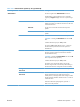
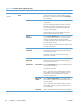
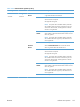
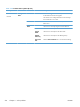
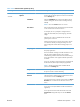
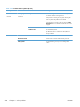



Table 3-55 Preboot menu options (5 of 5)
Menu option First level Second level Third level Description
Administrator
continued
Startup
Options
Select the Startup Options item to specify options that can
be set for the next time the product is turned on and initializes
to the to Ready state.
Cold Reset Check the Cold Reset item to clear the IP address and all
customer settings (this item also returns all settings to factory
defaults).
NOTE: Items in the Service menu are not reset.
First Power Not currently functional: This item allows the product initialize
as if it is the first time it has been turned on.
For example, the user is prompted to configure first time
settings like Select Date/Time, Select Language, and other
settings.
Check this item so that it is enabled for the next time the
product power is turned on.
When the product power is turned on the next time, this item
is unchecked so that the pre-configured settings are used
during configuration and the first time setting prompt is not
used.
Skip Plug-ins This item allows the device to be started without loading the
third party applications.
This means that files including Accessible Architecture on the
disk will not be available at bootup. This is useful for
troubleshooting problems with the hard disk without having to
remove the hard disk. It also applies to flash file system disks
on DIMMs.
In this case, this function will cause the printer to configure the
HP firmware first, followed by the third-party applications.
NOTE: The files on the disk will be available after the
printer enters the Ready state.
Skip Cal Select the Skip Cal item to initialize the product the next time
the power is turned on without calibrating.
Show
Revision
Not currently functional: Check the Show Revision item to
allow the product to initialize and show the firmware version
when the device reaches the Ready state.
Once the product power is turned on the next time, the Show
Revision item is unchecked so the firmware revision is not
shown.
Lock Service CAUTION: Select the Lock Service item to lock the
Service menu access (both PreBoot and Device Maintenance
application).
Service personnel must have the Administrator remove the
Lock Service setting before they can enter the Service
menu.
ENWW
Preboot menu options
519