
user manual


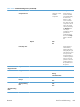

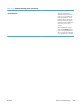
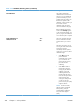

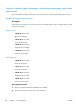

Table 3-32 Calibrate/Cleaning menu (continued)
First level Second level Values Description
Quick Calibration The product automatically
calibrates itself at various times.
However, you can calibrate the
product immediately if you see
problems with print quality. Use
this feature to perform a partial
calibration. Use this calibration if
color density or tone seems
incorrect.
Before calibrating the product,
make sure that Ready appears
on the control-panel display. If a
job is in progress, the calibration
occurs when that job is complete.
ENWW
Tools for troubleshooting
389