
user manual
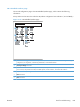

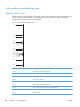



Retrieve Job From Device Memory menu
Use the Retrieve Job From Device Memory menu to view listings of jobs stored on the internal
product memory.
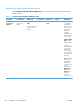
Table 3-17 Retrieve Job From Device Memory menu
First level Second level Third level Fourth level Fifth level Values Description
Retrieve Job
From Device
Memory
NOTE: Select
from a list of
folders.
All Jobs (With
PIN)
NOTE: Individual
job names also
appear.
Print Enter Pin to
Print
Use this menu to
view listings of
all stored jobs.
When a user
name is selected
the following
options are
available
depending upon
whether the job
is PIN secured.
All Jobs (With
PIN) — Menu
options include:
If you have
stored more than
one job on the
product, you
have the option
to print or delete
all of them at the
same time.
Print: Select this
option to print
jobs that have
been secured
with a PIN. You
will be
prompted to
Enter Pin to
Print. In the
Copies field,
select the
number of
copies to print.
312 Chapter 3 Solve problems ENWW