
user manual

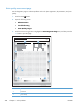



Print quality assessment page
Use the diagnostics page to evaluate problems with color plane registration, EP parameters, and print
quality.
1.
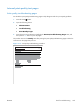
Press the Home
button.
2. Open the following menus:
●
Administration
●
Troubleshooting
●
Print Quality Pages
3. Press the Down arrow
button to highlight the Print Diagnostic Page item, and then press the
OK button to print the page.
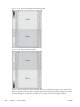
HP LaserJet 500 color m551
Diagnostics Page
Page 1
5
6
1
2
3
4
4
8
7
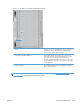
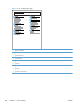
1 Calibration information
2 Parameters
3 Color density
300 Chapter 3 Solve problems ENWW