
user manual




Rear cover and upper rear cover
Before proceeding, remove the following components:
●
Toner collection unit. See
Toner collection unit on page 79.
●
Right rear cover. See
Right rear cover on page 109.
●
Left cover. See
Left cover on page 111.
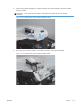
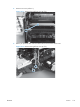
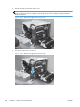
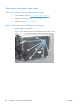
Remove the rear cover and upper rear cover
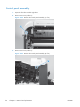
1. Remove eight screws (callout 1).
Figure 2-78 Remove the rear cover and upper rear cover (1 of 4)
1
124 Chapter 2 Removal and replacement ENWW