
user manual

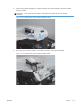

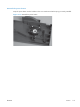


4. Release the tab on the bottom of the cover.
TIP: It might be easier if you position the product at the edge of the work surface so that there is
space to access the tab. You might try pushing the tab down by carefully inserting a small flat
blade screwdriver.
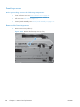
Figure 2-73 Remove the right front cover (4 of 5)
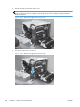
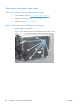
5. Pull down on the cover to remove it.
Figure 2-74 Remove the right front cover (5 of 5)
120 Chapter 2 Removal and replacement ENWW