Left bottom cover
Before proceeding, remove the following components:
●
Toner collection unit. See
Toner collection unit on page 79.
●
Left cover. See
Left cover on page 111.
Remove the left bottom cover
▲
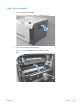
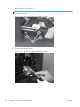
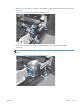
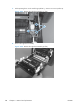
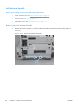
Remove two screws (callout 1) and the cover.
Figure 2-62 Remove the left bottom cover
1
ENWW
Covers
113