
user manual




Cleaning page
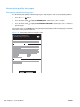
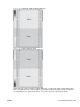
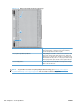
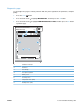
Create and use the cleaning page
1. Press the Home button
.
2. Press the up arrow or down arrow
/ to highlight the CONFIGURE DEVICE menu, and then press
the OK button.
3. Press the up arrow or down arrow
/ to highlight the PRINT QUALITY menu, and then press the
OK button.
4. If the product does not have automatic two-sided printing, press the up arrow or down arrow
/
to highlight the CREATE CLEANING PAGE option, and then press the OK button. If the product
has automatic two-sided printing, go to step 5.
5. Press the up arrow or down arrow
/ to highlight the PROCESS CLEANING PAGE option, and
then press the OK button.
6. Discard the printed page. The task is complete.
306 Chapter 3 Solve problems ENWW