
user manual





Internal print-quality test pages
Print-quality-troubleshooting pages
Use the built-in print-quality-troubleshooting pages to help diagnose and solve print-quality problems.
1. Press the Home
button.
2. Press the down arrow
to highlight DIAGNOSTICS, and then press the OK button.
3. Press the down arrow
to highlight PQ TROUBLESHOOTING, and then press the OK button to
print the pages.
The product returns to the Ready state after printing the print-quality-troubleshooting pages. Follow the
instructions on the pages that print out.
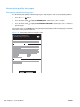
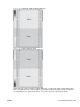
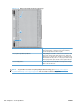
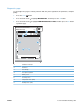
Figure 3-48 Print-quality troubleshooting procedure
hp color LaserJet CP 4520 Printers
Print Quality Troubleshooting Procedure
1
302 Chapter 3 Solve problems ENWW