
user manual




DC controller PCA only
NOTE: Use the following procedure to replace only the DC controller PCA. To access components
behind the DC controller, remove the PCA and the sheet-metal backing tray. See
DC controller PCA
and tray on page 161.
Before proceeding, remove the following components:
●
Upper-left cover. See
Upper-left cover on page 96.
●
Power-supply cover. See
Power-supply cover on page 98.
●
Rear-top cover. See
Rear-top cover on page 102.
●
Rear cover. See
Rear cover on page 112.
●
Interconnect board (ICB). See
Interconnect board (ICB) on page 153.
Remove the DC controller PCA only
CAUTION: ESD-sensitive part.
NOTE: To locate DC controller connector locations, see DC controller connector locations
on page 281.
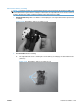
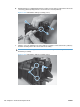
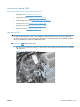
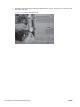
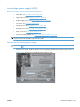
1. Disconnect all the connectors. There are 32 connectors in all.
Reinstallation tip The connector locations J101, J102, J106, and J154 are not used.
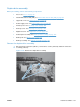
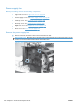
Figure 2-128 Remove the DC controller PCA only (1 of 2)
ENWW Internal assemblies 155