user manual
Manuals
Brands
HP (Hewlett-Packard) Manuals
All in One Printer
HP Hewlett Packard CF145A#BGJ LaserJet PRO 200 CF145A#BGJ
181
182
183
184
185
186
187
188
189
190
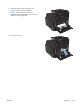
2.
With both hands, grasp the pap
er, and
carefully pull it free from the product.
NOTE:
If the sheet
tears, remove
all
fragments before contin
uing. Do not use sharp
objects to remove fragments.
3.
Close the rear do
or.
ENWW
Clear jams
169
1
...
...
183
184
185
186
187
...
...
236