user manual
Manuals
Brands
HP (Hewlett-Packard) Manuals
All in One Printer
HP Hewlett Packard CF145A#BGJ LaserJet PRO 200 CF145A#BGJ
181
182
183
184
185
186
187
188
189
190
1.
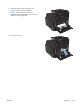
Pull out the tray, and lift the jam access door
above the tray.
2.
With both hands, grasp the pap
er, and
carefully pull it free from the product.
3.
Replace the tray.
4.
Press the
OK
button to continue printing.
ENWW
Clear jams
167
1
...
...
181
182
183
184
185
...
...
236