
user manual





Message Recommendation
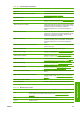
Lower lever Lower the substrate pressure handles. See the User's guide.
Maintenance #N advised. Please contact HP You are advised to contact your service representative. See
HP Customer Care Centers on page 49.
No substrate loaded Load substrate.
Out of cleaner roll Replace the printhead cleaning roll. See Replace the printhead
cleaning roll and aerosol filters on page 24.
Printer cannot carry on printing Check that tri-phase power supply is working and the ambient
temperature is within the normal range. This problem can also
be caused by holes in the substrate, by reflective or
transparent substrates or by a dirty or faulty temperature
sensor.
Printer cannot cool down If the ambient temperature is within the normal range, this
problem may be caused by removing the substrate too quickly
after printing. Try leaving the substrate in the printer until
temperatures settle down after printing.
Printer cannot warm up Check that the tri-phase power supply is working. This problem
can also be caused by holes in the substrate, by reflective or
transparent substrates or by a dirty or faulty temperature
sensor.
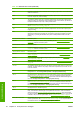
Printer waiting for rearm. Press the power button Press the Power Enable button on the lower left of the printer.
See the User's guide.
Remove {color} printhead Remove the printhead. See the User's guide.
Replace {color} cartridge Replace the ink cartridge. See The front panel recommends
replacing or reseating an ink cartridge on page 40.
Replace {color} printhead Replace the printhead. See The front panel recommends
replacing or reseating a printhead on page 40.
Replace aerosol filter You are advised to replace both aerosol filters. See Replace
the printhead cleaning roll and aerosol filters on page 24.
Reseat {color} cartridge Reseat the ink cartridge. See The front panel recommends
replacing or reseating an ink cartridge on page 40.
Reseat {color} printhead Reseat the printhead. See The front panel recommends
replacing or reseating a printhead on page 40..
Select substrate name in the IPS Select the name of the loaded substrate in the HP Internal Print
Server.
Subs. advance cannot be tracked automatically The substrate-advance sensor cannot track the substrate, and
should be turned off. See
Substrate-advance compensation
on page 7.
Substrate jam: remove substrate See The substrate has jammed on page 31.
Very low cleaner roll Be ready to replace the printhead cleaning roll very soon.
Table 10-2 Numerical error codes
Error code Recommendation
14.2 Tri-phase power is unexpectedly off. Call your service representative, and be prepared to
answer questions about indicator lights and fuses. See
HP Customer Care Centers
on page 49.
14.3 The tri-phase voltage is not set. Set it using the front panel.
14.5:12 Restart the printer.
Table 10-1 Text messages (continued)
ENWW 45
Front-panel errors