
User Manual




Security Solutions Partner
35
3.5 ADSL Settings
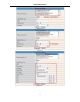
When connected to the Internet through ADSL directly, you can enter the ADSL username
And password obtained from ISP.
è
Figure 6.6 Figure 6.7
3.6 UPnP Settings
Click UPnP Settings to choose Using UPnP to Map Port:
è
Figure 6.8
Select it and click Submit, then the camera will support UPnP port forwarding automatically.
It’s helpful for using DDNS, if your router support UPnP, then you do not need do port forwarding in router.
Figure 6.9
NOTE: Here UPnP only for port forwarding now. It has much relation with security settings of your router, make
sure the UPnP function of router is ON.
Attention: If your router doesn’t support UPnP function, it may show errors. We recommend you do port
forwarding manually in your router. (Details see Figure 7.4-7.9)
3.7 DDNS Service Settings
è
Figure 7.0