
User Manual




Security Solutions Partner
33
If you don’t know the DNS Server, you can set it the same as Gateway.
If the router supports DHCP function, you can choose “Obtain IP from DHCP Server” to get dynamic IP.
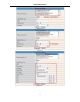
Figure 6.0
Http Port: In most cases, you can leave this value as default, if your Internet Service Provider blocks this port,
you may change it to another port number such as 85.
3.4 Wireless Lan Settings
è
Figure 6.1
1. Make sure the router is a wireless router.
2. Make sure the Wi-Fi antenna is installed.
3. Make sure whether there is encryption of the WLAN of router, if there is encryption, keep the key.
4. Login the camera, click “Network”>”Wireless Lan Settings”>”Scan”, please scan 2 times, then you will find
the WLAN from the list, choose the one you use. (Figure 6.2)
5. If there is no encryption, just click “Submit”. (Figure 6.4)
6. If there is encryption, please input the share key, then click “Submit”. (Figure 6.5)
7. Wait about 30 seconds, the camera will reboot, then unplug the network cable.
Figure 6.2