
Operation Manual




V 2.9.0
MivaTek International, Inc. 17
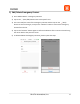
b.) Add A Device (IP Cameras And Sensors)
1) Go to Sidebar Menu -> Device Management.
2) Tap on the (Add) button next to “Device Management”.
3) Tap on “New OPU” or “IP Camera” or “Sensor” depending on the device to be added.
4) Scan barcode (QR code) located on the device. (* Note: If the scan is incomplete, you
will be asked to enter the serial ID (SN) of the device.)
5) After scanning, you can assign a unique name to the device or leave it with the default
assigned name. If you decide to assign a unique name to the device, tap on the (Save)
button to confirm reassignment.