
Operation Manual




V 2.9.0
MivaTek International, Inc. 13
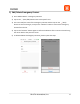
e.) Add Emergency Contact
1) Go to Sidebar Menu -> Emergency Contacts.
2) Tap on the (Add) button.
3) Input the first name and last name of the Emergency Contact, the assigned country
code of the phone number, and the Emergency Contact’s phone number.
4) The “Copy from Address Book” button will display your contacts and allow you to
choose one to add as an Emergency Contact.
5) Tap on the (Save) button to confirm addition or (Back) to go to previous screen.
6) To add additional Emergency Contacts, please repeat the steps.