
User's Manual




http://www.hltech.com.tw
Tel. NO.: 886-2-27978836
Fax. NO.: 886-2-27977358
10
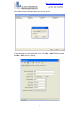
In your setting, you can use Site Survey button to search how many
wireless access point in this environment.
If you select any AP, the WL – 8005 Tool will auto change the main
window’s SSID. It will change the same with your select.
The last steps please press Apply button. WL – 8005 Tool can auto
send all settings to you select WL – 8005 device in early.
If sent setting to WL – 8005 device was success. The WL – 8005 Tool
will show a message box.
And in this time, WL – 8005 will reboot. When you close this message
box, the WL – 8005 Tool will to get WL – 8005 settings again. You can
double check your settings in this time.