
Projection Television User Manual





Adjustments and functions
1,2,3
1
\3
1
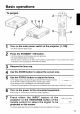
Press the MENU ( _)_)(_(_ ) buttons of the projector or the
MENU button of the remote control.
• The Menu screen wilt appear. (refer to page 18 - 21 for details.)
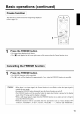
2 Press the MENU ((i)_)_)(_)) buttons of the projector or the DISK
PAD button of the remote control to select the menu item to be
adjusted. • The selected menu item will be displayed in orange.
3
Adjust the selected menu item with the MENU ((i)(_)_i)_))
buttons of the projector or the DISK PAD button of the
remote control.
• The selected menu item wilt be displayed in orange.
Returning to the initial settings I
• Select the adjustment item to be returned to the initial settings.
• Press the RESET button.
17