
Operation Manual


33
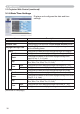
3.1.10 Projector Control
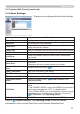
Item 'HVFULSWLRQ
MAIN
POWER Turns the power on/off.
INPUT SOURCE Selects the input source.
3,&785(02'( Selects the picture mode setting.
%/$1.212))
Turns the BLANK screen on/off.
MUTE Turns the audio mute on/off.
FREEZE Turns Freeze on/off.
MAGNIFY
Controls the magnify setting.
In some input signal sources, it might stop “Magnify” even
though it does not reach to maximum setting value.
0$*1,)<326,7,219
Adjusts the vertical magnify position.
MAGNIFY POSITION H
Adjusts the horizontal magnify position.
TEMPLATE Turns template on/off.
6+$'(
Turns the lens shade on(closed)/off(opened).
ZOOM Adjusts the zoom setting.
FOCUS Adjusts the focus setting.
/(166+,)79 Adjusts the vertical lens shift.
LENS SHIFT H Adjusts the horizontal lens shift.
LENS MEMORY
Saves, Loads or Clears the lens memory data.
PbyP* Turns the PbyP mode on/off.
PbyP LEFT SOURCE* Selects the PbyP left side area signal source.
PbyP RIGHT SOURCE*
Selects the PbyP right side area signal source.
PbyP MAIN AREA* Selects the PbyP main area posotion.
MY IMAGE Selects MY IMAGE data.
0<,0$*('(/(7( Deletes MY IMAGE data.
(continued on next page)
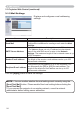
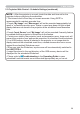
Operations of the projector can be performed
with the items on the screen.
The categories of the items are shown in the
main menu.
Most of the items have a submenu.
Refer to the table below for details.
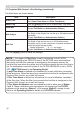
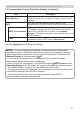
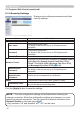
• The setting value may not match with the actual value if the user
changes the value manually. In that case, please refresh the page by clicking
the [Refresh] button.
NOTE
3. Web Control
3.1 Projector Web Control (continued)
* Only for CP-WU8440 and CP-WU8450.