
Operation Manual







UK-15
X-BASS FUNCTION (remote control only)
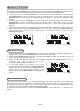
Press the X-BAS S button on the remote control will toggle this function between on and off. The display
will show “BASS ON” or “BAS S OFF”. When the X-BAS S is on, the bass sound is enhanced.
MUTE FUNCTION (remote control only)
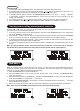
Press the MUTE button on the remote control to stop the sound from the speakers temporarily, the sound
stops and the display will show “MUTE”.
To cancel mute, press the MUTE button again or press the VOLUME +/-, “MUTE” disappears in the
display and the sound is restored.
BACKLIGHT CONTROL (remote control only)
During unit on, press the BACKLIGHT button on the remote control will toggle the front panel backlight
between on and off.
HEADPHONE JACK
The stereo headphone jack is located on the left side of the front panel. Connect a set of stereo
headphones (not included) to this jack for private listening. When headphones are in use, the speakers
will be automatically disconnected.
IMPORTANT: When using headphones always set the volume control to a low
level before you put
the headphones on, then put the headphones on and gradually increase the volume to a
comfortable listening level.
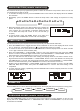
1. Always use compact discs bearing the mark as shown.
2. Notes on handling discs
Removing the disc from its storage case.
* Do not touch the reflective
recorded surface.
* Do not stick paper or write
anything on the surface.
* Do not bend the disc.
3. Storage
* Store the disc in its case.
* Do
not expose discs to direct sunlight or high temperatures, high humidity or dusty
places.
COMPACT DISC