
User Guide



- 18 -
Picture mode can be changed directly by
pressing the
button.
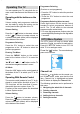
Contrast
By pressing
a
/
b
button, select Contrast.
Press
`
button to increase contrast. Press
_
button to decrease contrast. Contrast level
can be adjusted between 0 and 63.
Brightness
By pressing
a
/
b
button, select Bright-
ness. Press
`
button to increase brightness.
Press
_
button to decrease brightness.
Brightness level can be adjusted between 0
and 63.
Sharpness
By pressing
a
/
b
button, select Sharp-
ness. Press
`
button to increase sharpness.
Press
_
button to decrease sharpness.
Sharpness level can be adjusted between 0
and 31.
Colour
By pressing
a
/
b
button, select Colour.
Press
`
button to increase colour. Press
_
button to decrease colour. Colour level can
be adjusted between 0 and 99.
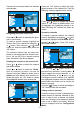
Hue
This item is displayed in picture menu when
the TV receives an NTSC signal. By pressing
a
/
b
button, select hue. Press
`
button to
increase hue. Press
_
button to decrease
hue. Hue level can be adjusted between -31
and 31.
Colour Temp
By pressing
a
/
b
button, select Colour
Temp. Press
_
/
`
button to choose one of
these options: Cool, Normal and Warm.
Noise Reduction
This item is used to reduce the image noise
and improve the picture quality at weak sig-
nals.
By pressing
a
/
b
button, select Noise Re-
duction. Press
_
/
`
button to set Noise re-
duction level to Off, Low, Medium or High.
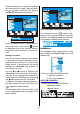
Film Mode
Films are recorded at a different number of
frames per second to normal television
programmes.
By pressing
a
/
b
button, select Film Mode.
Press
_
/
`
button to set this feature On or
Off. Turn this feature on when you are watch-
ing films to see the fast motion scenes
clearly.
3D Comb
3D Comb is used to improve colour transi-
tions and colour quality of pictures.
By pressing
a
/
b
button, select 3D Comb.
Press
_
/
`
button to set this feature On or
Off.
Reset
By pressing
a
/
b
button, select Reset.
Press
_
/
`
or OK button to reset the picture
modes to factory default settings.
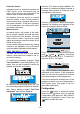
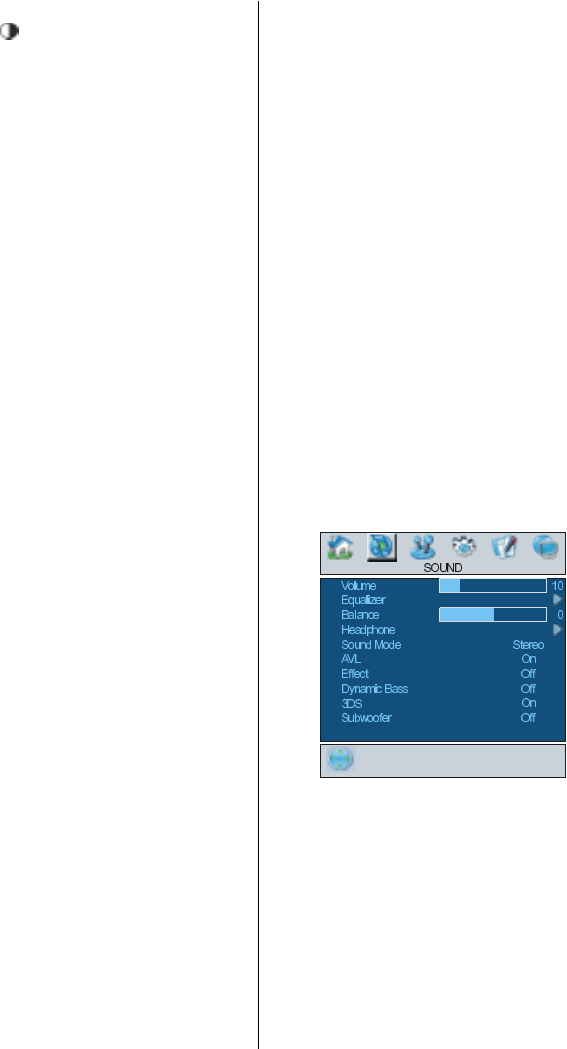
Sound menu
By pressing
_
/
`
button, select the second
icon. Sound menu appears on the screen.
Volume
By pressing
a
/
b
button, select Volume.
Press
`
button to increase volume level.
Press
_
button to decrease volume level. Vol-
ume level can be adjusted between 0 and
63.
Equalizer
By pressing
a
/
b
button, select Equalizer.
Press
_
/
`
or OK button to enter equalizer
menu.