
User Guide



45
You can operate your TV both using the re-
mote control handset and onset buttons.
Operating with the buttons on the TV
set
Volume setting and programme selection can be
made by using the buttons at the control panel on the
top of the TV.
Volume Setting
• Press “- VOLUME” button to decrease volume or
“VOLUME +” button to increase volume, so a vol-
ume level scale (slider) will be displayed at the
middle of the bottom on the screen.
Programme Selecting
• Press “P/Ch +” button to select the next program-
me or “- P/Ch” button to select the previous
programme.
Entering Main Menu
• Press "MENU" button to enter Main menu. In the
Main menu select submenu using
“- P/Ch” or “P/Ch +” button and enter the sub-
menu using “- VOLUME” or “VOLUME +” but-
ton. To learn the usage of the menus, refer to the
Menu System section.
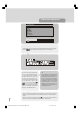
For Analog TVFor Digital menuNo menu
-P/Ch
-VOLUME
VOLUME+
P/Ch+
Cursor down
Cursor up
Select
Select
Volume down
Cursor right
Volume upSelect
Menu off
Previous menu
Menu off
Previous menu
Menu open
Cursor up
Program up
Cursor down
Program down
MENU
Operating with Remote Control
The remote control handset of your TV is designed to
control all the functions of the model you selected. The
functions will be described in accordance with the
menu system of your TV.
Functions of the menu system are described in Menu
System section.
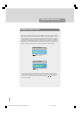
Volume Setting
Press “ +” key to increase volume. Press “-
” key to decrease volume. A volume level scale
(slider) will be displayed at the middle of the bottom
on the screen.
Programme Selecting
(Previous or next programme)
• Press “-P/CH” key to select the previous pro-
gramme.
• Press “P/CH+“ key to select the next
programme.
Programme Selecting (direct access):
Press digit keys on the remote control handset to se-
lect programmes between 0 and 9. TV will switch to
the selected programme. To select programmes be-
tween 10 - 99, you must use the double digit key "- / -
-".
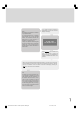
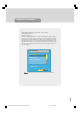
P - -
this OSD is displayed at the left hand upper
on the screen.
Press the digit buttons consecutively for the channel
you wish to select. (eg for programme 27, first press
2 then 7). If you do not press the second digit within 3
secs of pressing the first, the display will disappear.
Press directly the programme number to reselect
single digit programmes.
Programme Swapping
• Press "P<P" (programme swap) key to select the
last selected programme. This key provides swap-
ping between last two selected programmes. For
example, select programme 8, then select
programme 2. Now, if you press "P<P" key, pro-
gramme 8 will be selected. If you press the same
key again, programme 2 will be selected and so on.
press the same key again, programme 2 will be se-
lected and so on.
Operating the TV
1549 UK-IDTV TV-DVB-22'' TFT IB-2-(Revised - 19x27).p6501.12.2004, 13:4945