
User Guide





39
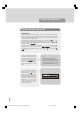
Highlight the YES button with the “ “ or “ ” key and press “SELECT” key to
start the automatic search.
advanced operation
FIRST TIME INSTALLATION
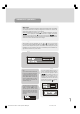
To reset the TV, highlight the First Time Installation line in the menu and press “SE-
LECT” key. A warning screen is displayed in case of accidental operation.
Highlight the YES button with the “ “ or “ ” key and press “SELECT” key to
erase all the channels and settings and switch the TV to standby. You can now start
again as detailed in Preparation - Tuning In.
ADD CHANNELS
Your TV can search for channels automatically (searching all the broadcast fre-
quencies for free-to-air channels) or manually (searching one specified broad-
cast frequency only for any channels to be found there).
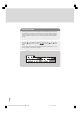
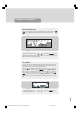
Press the “M” key to display the Main Menu and using the “ “ or “ ” keys,
highlight the Installation line and press “SELECT” key to display the Installation
Menu. Highlight the Add New Channels line and press “ ” key to display the
options. Select Automatic Search with the “ “ or “ ” keys and press “SE-
LECT” key. This starts the automatic tuning process as described in “Tuning In”,
and searches through all the available broadcast frequencies for free-to-air chan-
nels.
1549 UK-IDTV TV-DVB-22'' TFT IB-2-(Revised - 19x27).p6501.12.2004, 13:4839