
User Guide





32
advanced operation
CHANNEL AND MENU PROTECTION
CHANNEL LOCK
Some channels broadcast material which you do not want younger members of the
family to watch. Any channel can be 'locked' so that it cannot be selected for viewing
without first a four-digit PIN code being entered. In this way any channel not suitable
for younger viewers can be protected.
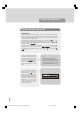
The channel lock is applied with the Channel List menu. Press the “M” key on the
remote control handset to display the Main Menu and then, using the “ “ or “ ”
keys on the remote control, make sure that the first item, Channel List, is highlighted in
yellow and press the “SELECT” key.
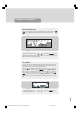
Highlight the channel to be locked using the “ “ or “ ” keys. You can move
through the list 10 channels in one jump using “Red” or “Green” keys. Now select
the LOCK button at the base of the screen with the “ “ or “ ” keys and press “SE-
LECT” key.
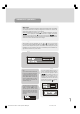
A window requesting the PIN code
is displayed and the four-digit code
should be entered using the num-
ber keys on the remote control, fol-
lowed by the “SELECT” key. A
lock icon is then displayed along-
side the channel name in the chan-
nel list.
Hint
The PIN is factory set to 0000.
This code should be reset (as de-
scribed below) to another sequence
of numbers, known only to you, when
you have finished setting up the TV.
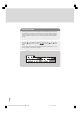
You can now leave the Channel List
screen and return to normal TV
viewing by pressing “M” key. Any
attempt to change channel to the
locked channel will now display the
same window requesting the PIN
code and the channel will only be
displayed on entry of the correct
code. To remove the lock on a
channel, repeat the same process
as to lock the channel.
*
1549 UK-IDTV TV-DVB-22'' TFT IB-2-(Revised - 19x27).p6501.12.2004, 13:4832