
User Guide



27
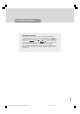
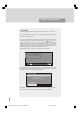
IDTV returns to the configuration menu if there is no new software.
If there is a new software, pressing "Yes" will cause upgrading to be started.
By, pressing "No" user can return to the configuration menu.
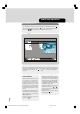
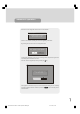
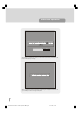
Loading will be displayed on the screen by a message and a progress bar, together with
a percentage button will indicate the status.
User can cancel the upgrade any time by pressing the “M” key.
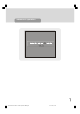
If the upgrade is cancelled or any error is occurred during the loading process, a warning
message is displayed and user is asked to press the “SELECT” key for returning the last
watched channel.
advanced operation
Software Upgrade
Completed searching for upgrade.
No new sotware was found.
New software found! Upgrade?
Yes
No
Searching for upgrade. Please wait, or
press MENU to cancel.
75%
1549 UK-IDTV TV-DVB-22'' TFT IB-2-(Revised - 19x27).p6501.12.2004, 13:4827