
User Guide



21
everyday operation
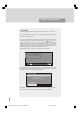
SOUNDTRACK LANGUAGE
Some programmes are broadcast in two or more languages simultaneously.
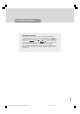
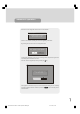
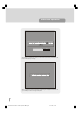
The language heard can be selected from the Language Menu. Press “M” key to
display the Main Menu and use the “ “ or “ ” keys to highlight the Language
line and press “SELECT” key. Use the “ “ or “ ” keys to highlight the
soundtrack language required and press “SELECT” key. Normal viewing, with the
required language soundtrack, can be resumed by pressing the “M” key.
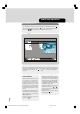
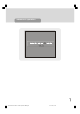
If the programme has no alternative language soundtrack broadcast, the Lan-
guage Menu will not be available, but a message, 'No Multi Language Available' is
displayed briefly.
1549 UK-IDTV TV-DVB-22'' TFT IB-2-(Revised - 19x27).p6501.12.2004, 13:4821