
User Guide






- 17 -
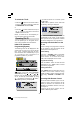
If you want to cancel A.P.S. function, press
the M button.
If OK button is pressed, A.P.S. starts and
the following warning is displayed.
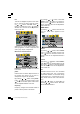
If you press the M button, A.P.S. function
stops and Program table appears on the
screen.
If you wait till A.P.S. is finalized, Program
table is displayed with the programmes
found and located.
teletext language
By pressing
/ button in the Settings
menu, select teletext language. There are
three options to select : Europe, Cyrillic and
Greek.
teletext region
By pressing
/ button in the Settings
menu, select teletext region. There are two
options to select : West and East.
Other Features
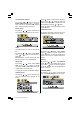
TV Status
Programme Number, Programme Name
and Sound Indicator are displayed on
screen after programme change for 3 sec-
onds.
Programme Number
Programme Name (5 characters)
These OSDs are displayed when a new
programme is entered by digit button, by
pressing the P<P, TV,
buttons or
the -P/CH / P/CH+ buttons.
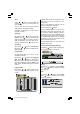
Previous Programme
Pressing "P<P" (Previous Programme) but-
ton consecutively allows to swap between
the last two programmes.
For example, select programme 8, then se-
lect programme 2. Now, if you press the
P<P button, programme 8 will be dis-
played. If you press the same button again,
programme 2 will be displayed and so on.
(1*/,6+8.LQFK3L[HO:RUNV0%6$0:0S