
User Guide






- 11 -
Volume Setting
Press the + button to increase volume.
Press the - button to decrease volume.
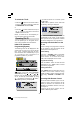
A volume level scale (slider) will be dis-
played on the screen.
Programme Selecting
(Previous or next programme)
Press the - P/CH button to select the previ-
ous programme.
Press the P/CH + button to select the next
programme.
Programme Selecting (direct access):
Press digit buttons on the remote control
handset to select programmes between 0
and 9. The TV will switch to the selected
programme after a short delay.
For a two digit program number enter the
second digit after pressing the first digit
within 2 seconds.
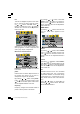
Menu System
Your TV has been designed with a menu
system to provide easy manipulation of a
multifunction system. Press the M (MENU)
button to enter the menu. The M button
has two functions; opening or closing the
menu and closing the submenu and then
opening its parent menu.
Press / button to select a menu title
and then
/ button to select a menu
item and
/ button to enter the menu
item. To exit a menu press the M button.
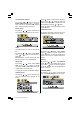
picture menu
By pressing / button, select the first
icon. Picture menu appears on the screen.
brightness
By pressing
/ button, select bright-
ness. Press
button to increase bright-
ness. Press button to decrease bright-
ness. Brightness level can be adjusted be-
tween 0 and 100.
contrast
By pressing
/ button, select con-
trast. Press
button to increase contrast.
Press
button to decrease contrast. Con-
trast level can be adjusted between 0 and
100.
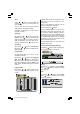
filter
By pressing
/ button, select filter.
Press
/ button to change filter setting
to normal, sharp or sharpest. This function
allows user to choose the level of image
sharpness that changes the details of pic-
ture display.
sharpness
By pressing
/ button, select sharp-
ness. Press
button to increase sharp-
ness. Press button to decrease sharp-
ness. Sharpness level can be adjusted be-
tween 0 and 100.
colour
By pressing
/ button, select colour.
Press
button to increase colour. Press
button to decrease colour. Colour level
can be adjusted between 0 and 100.
(1*/,6+8.LQFK3L[HO:RUNV0%6$0:0S