
Smartphone App User's Manual







24
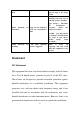
functions cannot be
used
updated.
cannot be used, please
upgrade App to the latest
version
Timer functions are
abnormal
App was not enabled to
read the smartphone’s
time
Settings shall be made by
following routes in case of
Android system: “Settings -
Apps (Device) - Hi-Smart
Air - Permissions -
Location”, enable the
switch of Location;
For IOS, go to the bottom
of “Setting”, find Hi-Smart
Air, enter it and choose
“While Using” from
“Location”;
Timer functions not
working
The Timer functions
weren’t triggered.
Timer is based on
triggering, and only work
under the conditions set by
the user.
Statement
FCC Statement
This equipment has been tested and found to comply with the limits
for a Class B digital device, pursuant to part 15 of the FCC rules.
These limits are designed to provide reasonable protection against
harmful interference in a residential installation. This equipment
generates, uses, and can radiate radio frequency energy and, if not
installed and used in accordance with the instructions may cause
harmful interference to radio communications. However, there is no
guarantee that interference will not occur in a particular installation.