
Smartphone App User's Manual







19
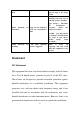
SETTINGS: Includes Temp scale translation, Editable Home
Appliance name, Device Info and Diagnostics function.
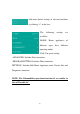
Enter the Timer setting interface by
clicking “+” in PROGRAM SETTING.
The Timer setting is as shown in the
above chart. Select the beginning time
and define a specific day for execution
of the setting, Temperature, Mode, Fan
Speed and Air Flow for each week and
save the settings. The application will
feed back the setting results.
Dehumidifier
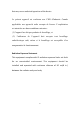
The Dehumidifier operation interface displays the name of the
current home appliance, and is available for enabling and disabling
the appliance. Also, it displays the setting temperature and current
ambient temperature.