
Smartphone App User's Manual




18
Portable AC
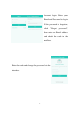
The operation interface for portable
AC shows the current home appliance
name. The user can select other
linked home appliances and conduct
toggle operations by clicking available
home appliances. Also, the set
temperature and current ambient temperature are displayed.
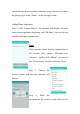
Add more function Quick settings by clicking
“+” in the box;
The following settings are available:
MODE: Different product types have
different operating modes.
FAN: Fan speed setting.
AIRFLOW: Fan louver direction setting.
SLEEP: Sleep mode setting.
ADVANCED: Includes Super, Dimmer
AC panel and Share functions.
PROGRAM SETTING: Checks Timer settings of Portable AC