
Smartphone App User's Manual




17
Support: Hisense Customer Service information
Home Appliance Functions
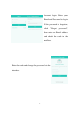
The Home appliance list shows
successfully-linked Dehumidifier,
Portable Air Conditioner, and Split
Air Conditioner data. On the left
are temperature or humidity Set
values of corresponding home
appliances. Also displayed are the
names and current operating
modes of each home appliance.
On the right, are the home
appliance “Name edit” and “Quick toggle” buttons. The user can
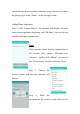
enter the home appliance control interface by clicking any home
appliance. In this IOS smartphone interface, users can refresh the
home appliance status through pull down menu’s. For an Android
smartphone, the status of their Home Appliances will automatically
refresh.