
Smartphone App User's Manual




16
Program setting: Check product timer settings
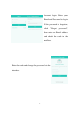
Notification: Enable or disable the malfunction pushing service.
When a malfunction of air appliance occurs, the Hi-Smart Air App
will notify the user about the malfunction.
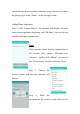
The Setting interface as shown in Chart
4 lists function options:
—Diagnostics: self-diagnosis for all
Hi-Smart Air home appliances. Also
checks the home appliance for
malfunctions.
—Language: three languages are
supported: English, Spanish and French
—Shared devices: Only one user may
be paired with a Hi-Smart unit. If other users want to check or
control the home appliance, it requires the first paired user to delete
the pairing with the appliance.
—Help: A web link to the User’s Manual and FAQ
—Modify password: change account password
—About: Application software version
—Sign out: log out of the account