
Smartphone App User's Manual




15
Instructions for Unpairing and General
Functions
Unpairing
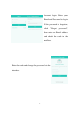
After pairing, enter the home appliance list
interface. To delete any home appliance, select
the home appliance which needs to be deleted
and slide the selector to the left side, as shown
in the picture at right. For android users, just
press the screen for 2 seconds on the selected appliance to delete it.
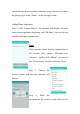
Click the top left corner of the home appliance
list to enter the Menu interface.
Additional Information & Terms
The device controller has different control interfaces to control the
home appliances.