
Smartphone App User's Manual




13
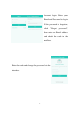
completion of pairing with the home appliance.
Android Pairing
(Please make sure that the smartphone has been connected to
the Internet through a wireless router)
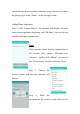
After logging into the account, the user will
enter the interface (right), and click the right
downside “+” to add smart home appliances.
Pairing: When adding home appliances, the
user can choose unpaired appliances (serial
number of home appliances shall begin with
Hi-Smart) and click “Next” to start pairing. By
clicking “Guide”, at the top right corner of the
sceen, operational pairing hints can be found.