
Smartphone App User's Manual




12
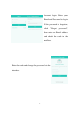
after browsing the pair guidance interface pages, the user can check
the pairing steps in the “Guide”, on the top right corner.
Adding Home Appliances.
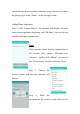
Step 1, Click “Choose Device”, the interface will display, and then
choose home appliances beginning with “Hi-Smart” and wait for the
interface to display automatically.
Note:
If the interface cannot display automatically in
10 seconds after product (Hi-Smart-xxxx
selection ), double click “Home” to return to
the “Device Setup” interface and click “Next”.
Step 2, Choose the
wireless router, and then the interface will
display.
Step 3, Enter the
password for the wireless router and wait for