
User Manual

38
────────────────────────────────────────────────────
3.3 STATUS Settings (REC&MEM: STATUS Screen)
────────────────────────────────────────────────────
3.3.4 Display Function
Function
display
Meaning
:
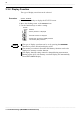
Memory waveform is displayed
:
Recorder waveform is displayed
:
Displays both the memory (MEM) waveform
and recorder (REC) waveform
NOTE
The type of display waveform can be selected.
Procedure
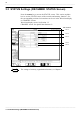
Screen: STATUS
1. Press the
STATUS
key to display the STATUS screen.
2. Move the flashing cursor to the
Function
item.
3. Use the function keys to make a setting.
The type of display waveform can be set by pressing the
REC&MEM
function key on the Waveform display screen.
The memory waveform in Recorder and Memory function can be also
displayed in memory recorder function.
The display function setting cannot be changed during measurement.
Starting up the 8855 with memory waveform display ON automatically
selects REC&MEM display.