
User Manual

100
────────────────────────────────────────────────────
5.2 Setting the Variable Function
────────────────────────────────────────────────────
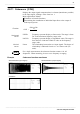
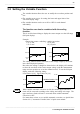
Flashing cursor
Flashing cursor
Function
display
Meaning
:
Variable function is disabled.
:
Variable function is enabled.
Procedure
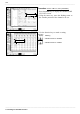
Screen: ONE CH, LIST (CHANNEL)
1. Press the
CHAN
key to display the Channel (ONE
CH, LIST) screen.
2. Using the cursor key, move the flashing cursor to
the variable position of the channel to be set.
3. Use the function keys to make a setting.