
Operating Instruction R 6-22 (01)


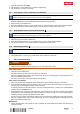


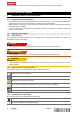


Table Of Contents
- Original operating instructions
- 1 Information about the documentation
- 2 Safety
- 3 Description
- 4 Technical data
- 5 Preparations at the workplace
- 6 Operation
- 6.1 Establishing a Bluetooth connection
- 6.2 Making an NFC connection
- 6.3 Setting the audio source
- 6.4 Searching for and saving stations
- 6.5 Positioning the antenna
- 6.6 Adjusting the volume
- 6.7 Equalizer settings
- 6.8 Audio playback from a mobile device via Bluetooth
- 6.9 Audio playback from an external device via AUX
- 6.10 USB charging function
- 7 Care and maintenance
- 8 Transport and storage of cordless tools and batteries
- 9 Troubleshooting
- 10 Disposal
- 11 Manufacturer’s warranty
- 12 FCC statement (applicable in US) / IC statement (applicable in Canada)
- 13 Further information
- Notice d'utilisation originale
- 1 Indications relatives à la documentation
- 2 Sécurité
- 3 Description
- 4 Caractéristiques techniques
- 5 Préparatifs
- 6 Utilisation
- 6.1 Établissement d'une connexion Bluetooth
- 6.2 Établissement d'une connexion NFC
- 6.3 Réglage de la source audio
- 6.4 Recherche et mémorisation d'émetteurs
- 6.5 Orientation de l'antenne
- 6.6 Réglage du volume sonore
- 6.7 Réglages de l'égalisateur
- 6.8 Lecture de musique depuis un terminal mobile via Bluetooth
- 6.9 Lecture de musique via une connexion AUX à partir d'un dispositif externe
- 6.10 Fonction de charge USB
- 7 Nettoyage et entretien
- 8 Transport et stockage des outils sur accu et des accus
- 9 Aide au dépannage
- 10 Recyclage
- 11 Garantie constructeur
- 12 Déclaration FCC (valable aux États-Unis) / Déclaration IC (valable au Canada)
- 13 Informations complémentaires
- Manual de instrucciones original
- 1 Información sobre la documentación
- 2 Seguridad
- 3 Descripción
- 4 Datos técnicos
- 5 Preparación del trabajo
- 6 Manejo
- 6.1 Preparación de la conexión Bluetooth
- 6.2 Establecimiento de la conexión NFC
- 6.3 Ajuste de la fuente de audio
- 6.4 Búsqueda y memorización de una emisora
- 6.5 Alineación de la antena
- 6.6 Ajuste del volumen
- 6.7 Ajustes del ecualizador
- 6.8 Reproducción de música de un terminal móvil mediante Bluetooth
- 6.9 Reproducción de música de un dispositivo externo mediante una conexión AUX
- 6.10 Función de carga USB
- 7 Cuidado y mantenimiento
- 8 Transporte y almacenamiento de las baterías y sus herramientas
- 9 Ayuda en caso de averías
- 10 Reciclaje
- 11 Garantía del fabricante
- 12 Indicación FCC (válida en EE. UU.)/indicación IC (válida en Canadá)
- 13 Más información
- Manual de instruções original
- 1 Indicações sobre a documentação
- 2 Segurança
- 3 Descrição
- 4 Características técnicas
- 5 Preparação do local de trabalho
- 6 Utilização
- 6.1 Estabelecer a ligação Bluetooth
- 6.2 Estabelecer a ligação NFC
- 6.3 Ajustar a fonte áudio
- 6.4 Procurar e guardar o emissor
- 6.5 Orientar a antena
- 6.6 Ajustar o volume
- 6.7 Ajustes do equalizador
- 6.8 Reproduzir música de um terminal móvel através de Bluetooth
- 6.9 Reproduzir a música através de uma ligação AUX a partir de um aparelho externo
- 6.10 Função de carga USB
- 7 Conservação e manutenção
- 8 Transporte e armazenamento de ferramentas a bateria e baterias
- 9 Ajuda em caso de avarias
- 10 Reciclagem
- 11 Garantia do fabricante
- 12 Declaração FCC (válida nos EUA) / Declaração IC (válida no Canadá)
- 13 Mais informações

*2309425*
2309425 English 5
3.5 Status indicators of the Liion battery
Hilti Nuron Li-ion batteries can indicate state of charge, fault messages and the battery's state of health.
3.5.1 Indicators for state of charge and fault messages
WARNING
Risk of injury by a falling battery!
▶ If the release button is pressed with a battery inserted in the product, subsequently check that the battery
is correctly re-engaged and secure.
Short-press the release button of the battery to get whichever of the following status indications is applicable
at the time.
State of charge and, if applicable, faults are indicated constantly as long as the connected product is
switched on.
Status Meaning
Four (4) LEDs show constantly green State of charge: 100 % to 71 %
Three (3) LEDs show constantly green State of charge: 70 % to 51 %
Two (2) LEDs show constantly green State of charge: 50 % to 26 %
One (1) LED shows constantly green State of charge: 25 % to 10 %
One (1) LED slow-flashes green State of charge: < 10 %
One (1) LED quick-flashes green The Li-ion battery is completely discharged.
Recharge the battery.
If the LED again starts quick-flashing after the bat-
tery has been charged, consult Hilti Service.
One (1) LED quick-flashes yellow The Li-ion battery or the product in which it is in-
serted is overloaded, too hot or too cold, or experi-
encing some other fault.
Bring the product and the battery to the recom-
mended working temperature and do not overload
the product when it is in use.
If the message persists, consult Hilti Service.
One (1) LED shows yellow The Li-ion battery and the product in which it is
inserted are not compatible. Consult Hilti Service.
One (1) LED quick-flashes red The Li-ion battery is locked and cannot be used.
Consult Hilti Service.
3.5.2 Indicators showing the battery's state of health
To check the battery's state of health, press the release button and hold it down for longer than three
seconds. The system does not detect a potential malfunction of the battery due to misuse, for example
battery dropped or pierced, external heat damage, etc.
Status Meaning
All LEDs show in sequence, followed by one (1)
LED showing constantly green.
The battery can remain in use.
All LEDs show in sequence, followed by one (1)
LED quick-flashing yellow.
The check to ascertain the battery's state of health
did not complete. Repeat the procedure, or consult
Hilti Service.
All LEDs show in sequence, followed by one (1)
LED showing constantly red.
If a connected product can still be used, the re-
maining battery capacity is below 50 %.
If a connected product can no longer be used, the
battery has reached the end of its useful life and
has to be replaced. Consult Hilti Service.
3.6 Information shown in the display
Information shown in the display → page 6