
User guide



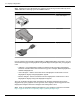



Supported Display Connections
To ensure the highest possible performance, only one display is supported when
AMD CrossFireX™ is active. For more information, see Chapter 6 AMD CrossFireX
Technology.
The AMD Radeon HD 6500/6600 series
graphics card provides hardware support for
DVI-I and VGA monitors, as well as HDMI HDTVs .
Table 4–1 Display Configurations
Display Connections
CRT analog display
•
VGA connection
•
DVI connection and DVI-I-to-VGA adapter
LCD display
•
VGA connection and VGA cable
•
DVI-I connection and DVI cable
•
DVI-I connection and DVI-I-to-VGA adapter
•
DisplayPort connection and DisplayPort cable
•
DisplayPort connection and DisplayPort-to-DVI adapter
HDTV display
•
DVI connection and DVI cable
•
DisplayPort connection and DisplayPort-to-DVI adapter
HDMI HDTV
•
HDMI connection and HDMI cable
•
DVI connection and DVI-to-HDMI adapter and HDMI cable
Once displays are connected to the graphics card, you can control how they are
currently configured as well as how Windows® desktops appear on the displays using
the Control Center software application.
For more information, see Chapter 5 Using the Control Center Software.
Using Adapters
The following procedure describes how to connect a display to your graphics card
using an adapter.
1. Turn off your computer and display.
2. Plug the adapter into the connection from your AMD Radeon
graphics card and
tighten the thumbscrews (if there are any).
3. Connect your display's cable to the adapter and tighten the thumbscrews (if
there are any).
4. Turn on your display first, then your computer.
Use the Control Center software application to configure the new display.
Display Configuration 13
© 2011 Advanced Micro Devices, Inc. AMD Radeon™ HD 6500/6600 Series