
User Manual


Set Password
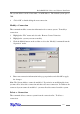
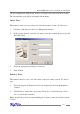
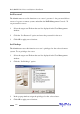
The Administrator uses this function to set a user’s password – the password allows
a user to log on to a remote system, and utilize the RAID Management Console. To
set password for a user:
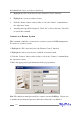
1. Select the target user ID from the user list displayed in the User Management
window.
2. Click the “Set Password” option, and enter the password for the user.
3. Click OK to apply your selections.
Set Privilege
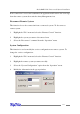
The Administrator uses this function set a user’s privileges for the selected remote
system. To set privileges for a user:
1. Select the target user ID from the user list displayed in the User Management
window.
2. Click the “Set Privilege” option.
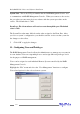
3. In the pop-up window, assign the privileges for the selected user.
4. Click OK to apply your selections.
RocketRAID 2240 Driver and Software Installation
4-26