
User Manual



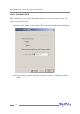
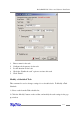

To test E-mail notification:
1. Highlight the “Management” menu, and select the “Event Notification”
function.
2. Select one recipient from the main window.
3. Click the Test button on the toolbar or select the “Test” command from the
“Operation” menu.
4. The software will send a “test” e-mail message to the selected recipient.
Managing Tasks
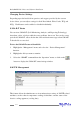
The RAID management Console can be used to setup routine, periodical background-
rebuild or verify tasks that will help maintain the integrity of RAID arrays attached to
the RocketRAID 2240.
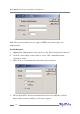
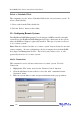
To setup and schedule tasks highlight the “Management” menu, and select the “Task
Management” function to open Task Management window.
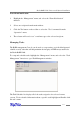
The Task Schedule list displays all of the tasks assigned to the selected remote
system. To view detailed information about a specific task, highlight and Double-click
the task’s name.
4-17
RocketRAID 2240 Driver and Software Installation