
User Manual



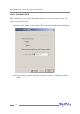

Note: The current software does not support SMTP servers that require user
authentication.
To add a Recipient:
1. Highlight the “Management” menu, and select the “Event Notification” function.
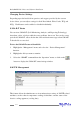
2. Click the “Add” button on the toolbar or select “Add” command from the
“Operation” menu.
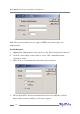
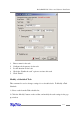
3. Enter the necessary information in the Add recipient window.
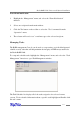
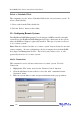
4. The recipient will be listed in the main window. You can use Modify or Delete
button on the toolbar to modify or delete the recipient.
4-16
RocketRAID 2240 Driver and Software Installation