
User Manual



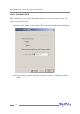

Note: This feature is dependent upon the system chassis – this function will not be
available unless the chassis supports SAF-TE.
Renaming an Array
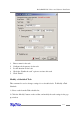
1. Highlight the “Management” menu, and select the “Array Management”
function.
2. Highlight the array you want to rename.
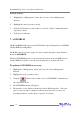
3. Click the Rename button on the toolbar or select the “Rename” command from
the “Operation” menu.
4. Enter a new name for the array using the keyboard, and press the OK button to
confirm your selection.
Note: An array running background tasks cannot be renamed.
9 - Managing Events
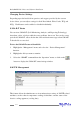
The HighPoint RAID Management Console will log all events that have occurred on
any host adapter under its control.
Viewing Logged Events
To view logged events:
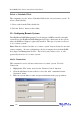
1. Highlight the “View” menu, and select the “Event View” option.
2. In the Event View window, you can filer events, clear events, and save events to
a file.
Configuring E-mail notification
To enable E-mail notification:
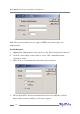
1. Highlight the “Management” menu, and select the “Event Notification” function.
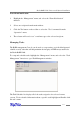
2. Click the Setting button on the toolbar or select “Setting” option from the
“Operation” menu.
3. Next, enter the necessary information in the E-mail Notification Setting window.
RocketRAID 2240 Driver and Software Installation
4-15