
User's Manual






DTU-H100 Wi-Fi/Ethernet to RS485/RS232 Server User Manual
http://www.iotworkshop.com
6
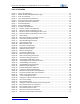
LIST OF FIGURES
Figure 1. DTU-H100 Appearance .....................................................................................................11
Figure 2. RS232 Pin Defination(Male/Needle Type) ........................................................................12
Figure 3. RJ45 Pin Defination .........................................................................................................13
Figure 4. DTU-H100 Mechanical Dimension ....................................................................................14
Figure 5. DTU-HXXX Series Order Information ................................................................................14
Figure 6. DTU-H1XX Functional Architecture ...................................................................................16
Figure 7. DTU AP Application ..........................................................................................................16
Figure 8. DTU STA Application ........................................................................................................17
Figure 9. DTU AP+STA Application .................................................................................................18
Figure 10. One AP and One STA Application .................................................................................19
Figure 11. Ethernet Interface Networking (As AP) ..........................................................................20
Figure 12. Ethernet Interface Networking (As STA, N-Ver) .............................................................20
Figure 13. Ethernet Interface Networking (As STA, Z-Ver) .............................................................21
Figure 14. Search Page..................................................................................................................25
Figure 15. Multi-TCP Link Data Transmition Structure ....................................................................27
Figure 16. Dual Socket Working Data Flow ....................................................................................27
Figure 17. Open Web Management page .......................................................................................30
Figure 18. Quick Configure Page ...................................................................................................31
Figure 19. Mode Selection Page ....................................................................................................31
Figure 20. AP Interface Setting Page .............................................................................................32
Figure 21. STA Interface Setting Page ...........................................................................................33
Figure 22. Application Setting Page................................................................................................33
Figure 23. Ethernet Setting Page ...................................................................................................34
Figure 24. HTTPD Client Mode Page .............................................................................................34
Figure 25. Device Management Page ............................................................................................35
Figure 26. STA Interface Debug Connection ..................................................................................36
Figure 27. AP Interface Debug Connection ....................................................................................36
Figure 28. “CommTools" Serial Debug Tools ..................................................................................36
Figure 29. “TCPUDPDbg" Tools Create Connection .......................................................................37
Figure 30. “TCPUDPDbg" Tools Setting .........................................................................................37
Figure 31. “TCPUDPDbg" Tools Connection ..................................................................................38
Figure 32. Wireless Control Application ..........................................................................................38
Figure 33. Remote Management Application ..................................................................................39
Figure 34. Transparent Serial Port Application ...............................................................................40
Figure 35. Wireless Data Acquisition Card Application ...................................................................41
Figure 36. The device Default UART Port Parameters ...................................................................42
Figure 37. Switch to Configuration Mode ........................................................................................42
Figure 38. "AT+H" Instruction for Help ............................................................................................43
Figure 39. Configure Transparent Serial Port Connection (TCP) ....................................................66
Figure 40. DTU LAN IP Setting .......................................................................................................66
Figure 41. DTU WAN IP Setting .....................................................................................................67
Figure 42. Configure Transparent Serial Port Connection (UDP) ....................................................67
Figure 43. DTU Network Protocols: TCP/Server .............................................................................68
Figure 44. DTU Network Protocol: TCP/Client ................................................................................68
Figure 45. DTU Network Protocol: UDP..........................................................................................69
Figure 46. Two DTUs Connection Through AP ...............................................................................70
Figure 47. Wireless Data Acquisition Card Setting..........................................................................71