
User's Manual


HF-A11x V3.1 User Manual
Shanghai High-Flying Electronics Technology Co., Ltd
www.hi-flying.com
45
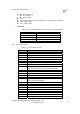
NONE: When “auth=OPEN”, effective
WEP: When “auth=OPEN” or “SHARED”, effective
TKIP: When ”auth= WPAPSK”, effective
AES: When “auth= WPAPSK”, effective
key: password, ASCII code, shall less than 64 bit and
greater than 8bit
This Instruction only effective for HF-A11x works as STA. After HF-A11x module boots up again,
the setting will be effective. But user can set this command when module configured as AP.
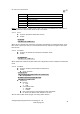
4.2.2.11. AT+WSSSID
Function: Set/Query WIFI target AP SSID parameters as STA.
Format:
Query Operation
AT+WSSSID<CR>
+ok=<ap’s ssid><CR>< LF ><CR>< LF >
Set Operation
AT+ WSSSID=<ap’s ssid ><CR>
+ok<CR>< LF ><CR>< LF >
Parameters:
ap’s ssid: AP’s SSID
This Instruction only effective for HF-A11x works as STA. After HF-A11x module boots up again,
the setting will be effective. But user can set this command when module configured as AP.
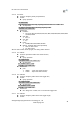
4.2.2.12. AT+ WSLK
Function: Query WiFi link status as STA
Format:
Query Operation
AT+ WSLK<CR>
+ok=<ret><CR>< LF ><CR>< LF >
Parameters:
ret
”Disconnected”, if no WiFi connection;
”AP’ SSID
(AP’s MAC” ), if WiFi connection available;
”RF Off”, if WiFi OFF;
This Instruction only effective for HF-A11x works as STA. After HF-A11x module boots up again,
the setting will be effective. But user can set this command when module configured as AP.
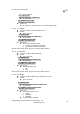
4.2.2.13. AT+ WSLQ
Function: Query WiFi signal strength as STA
Format:
Query Operation
AT+ WSLQ<CR>
+ok=<ret><CR>< LF ><CR>< LF >
Parameters:
ret
”Disconnected”, if no WiFi connection;
”AP’s WiFi signal strength” , if WiFi connection available;
This Instruction only effective for HF-A11x works as STA. After HF-A11x module boots up again,
the setting will be effective. But user can set this command when module configured as AP.
4.2.2.14. AT+WEBU
Function: Set/Query WEB page login parameters;
Format:
Query Operation