
User's Manual

HF-A11x V3.1 User Manual
Shanghai High-Flying Electronics Technology Co., Ltd
www.hi-flying.com
33
Notes:
Generally, Network protocols support three modes: TCP Server, TCP Client, and UDP. UDP has
no server and client requirement according to standard.
Besides module working as TCP Server (IP address not required in this mode). User must set the
IP address of the device which need communicate with HF-A11x module.
Also the Port ID between two sides of the communication devices must keep the same.
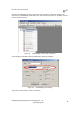
3.1.6. Device Management Page
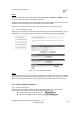
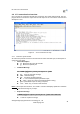
This page use to manage HF-A11x module general setting, such as administrator setting, restart
module button, restore factory default setting button, and update firmware through webpage.
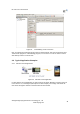
Figure 28. Device Management Page
Notes:
Restart module button: When you setting the parameters of different web pages, you will click
“Apply” button to confirm the setting, but the setting take effect only after user click the “Restart”
button here, the module will re-boot up and reflash the memory information with new changes.
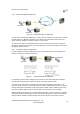
3.2. HF-A11x Usage Introduction
3.2.1. Software Debug Tools
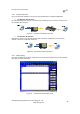
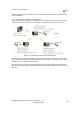
High-Flying use two common software tools debugging and applying HF-A11x modules.
(User can also select other tools used to debug serial and Ethernet port).
Serial Debugging Software: ComTools
Ethernet Debugging Software: TCPUDPDbg