
User`s manual




90
Cipher Suite: Available options are: WPA (TKIP), WPA2 (AES), and WPA2
Mixed. You can select one of them, but you have to make sure
your wireless client support the cipher you selected.
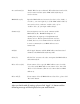
RADIUS Server Please input the IP address of your
IP address (3): Radius authentication server here.
RADIUS Server Please input the port number of your
Port (4): Radius authentication server here.
Default setting is 1812.
RADIUS Server Please input the password of your Radius
Password (5): authentication server here.
After you finish with all settings, please click ‘Apply’ (6) button and the
following message will be displayed on your web browser:
Please click ‘Go Back’ to go back to previous setup menu, or click ‘Apply’
to reboot the router so the settings will take effect. Please wait 30-60
seconds for the router to reboot.