
User`s manual




71
Domain Name (3): Input the domain name you’ve obtained from DDNS service
provider.
Account / Input account or email of DDNS registration.
E-Mail (4):
Password / Key (5): Input DDNS service password or key.
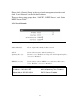
After you finish with all settings, please click ‘Apply’ (6) button and the
following message will be displayed on your web browser:
Please click ‘Go Back’ to go back to previous setup menu, or click ‘Apply’
to reboot the router so the settings will take effect. Please wait 30-60
seconds for the router to reboot